Print images and PDFs directly from your Mac to compatible network and USB printers, without installing a printer driver. Automatic printer discovery and printer-reported settings make setup simpler, while a clear preview shows what will print.
Version 1.0.04 has been submitted to the Mac App Store and is awaiting review. It is not yet available to download.
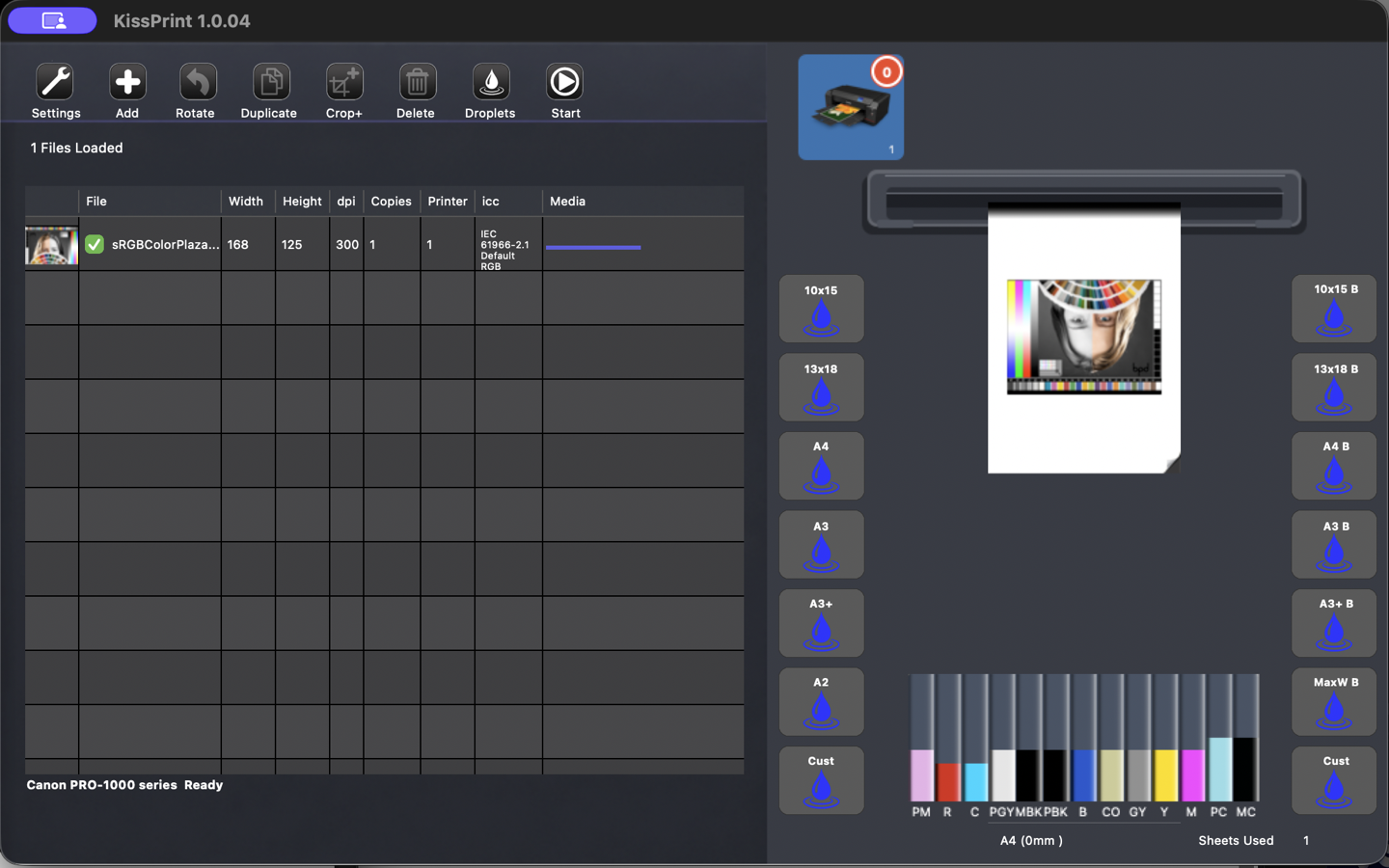
KissPrint 1.0.04 · Submitted App Store screenshot. Open at full size ↗
DIRECT PRINTING. CLEAR DECISIONS.
From file to sheet, with a clear preview.
01
Simpler setup. No driver required.
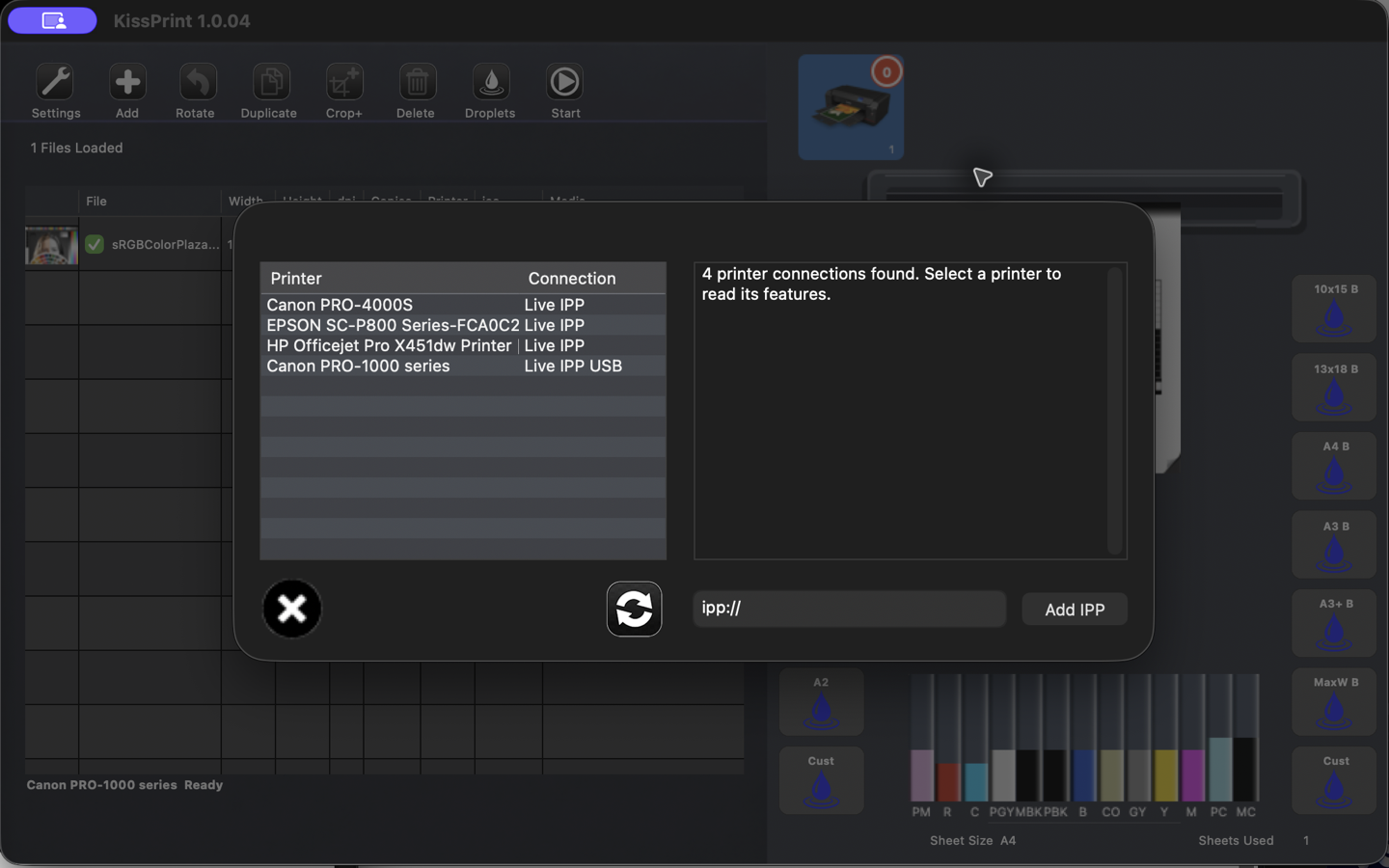
KissPrint discovers compatible IPP and IPPS network printers and USB printers and reads their capabilities directly. Select your printer and use its loaded or default media. There is no printer driver to install and no local macOS print queue to configure.
02
Preview, arrange & nest
Load images and PDFs, preview their placement on the selected sheet, rotate, crop, duplicate and set copy counts. Nest multiple prints efficiently across sheets.
03
Use the printer’s media information
Read printer-reported sheet sizes, media and printable margins. KissPrint uses loaded or default media unless you explicitly choose something else.
04
Control color with ICC profiles
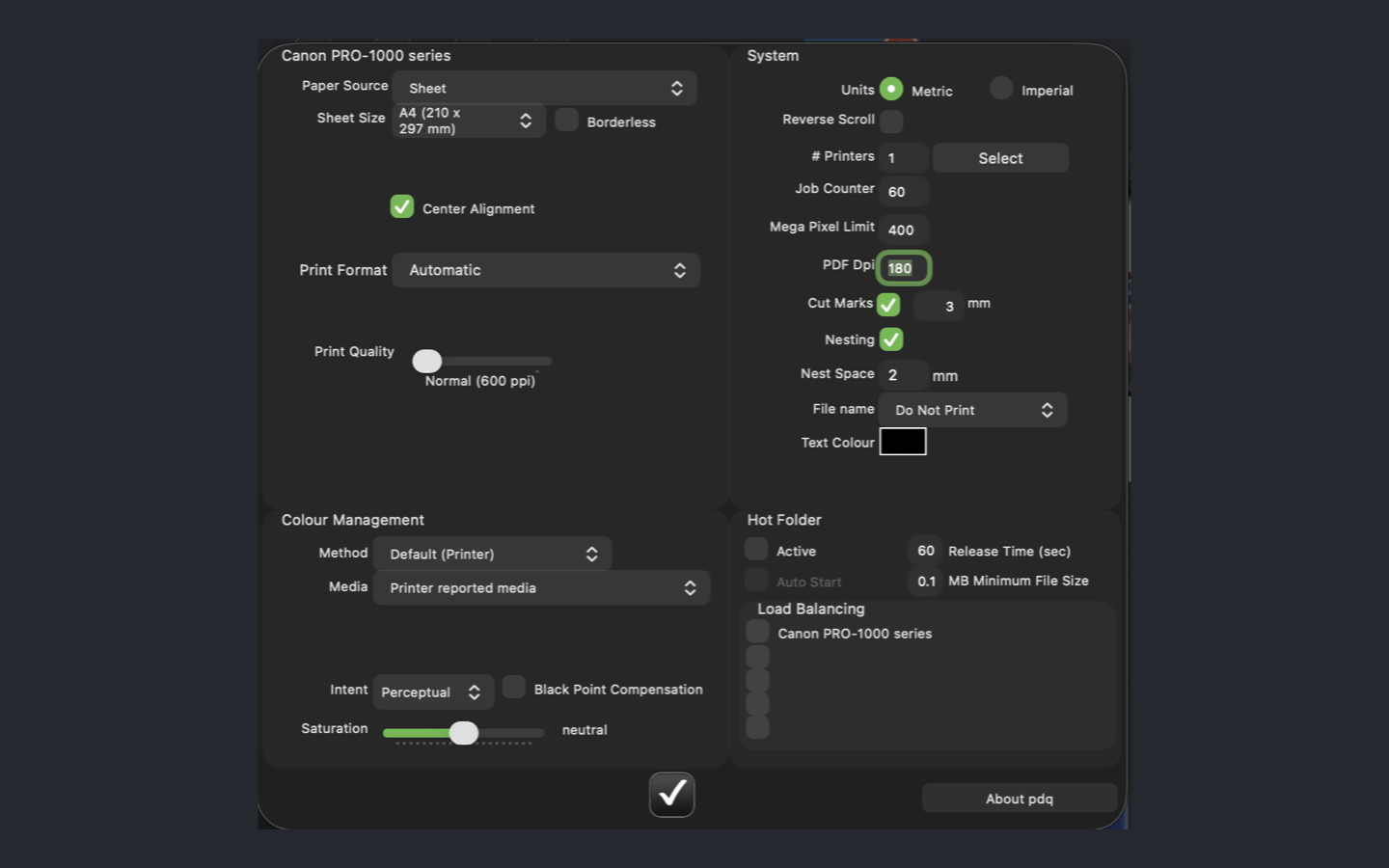
Use ICC color management with your choice of rendering intent and black-point compensation.
05
Check settings before sending
Choose quality, resolution and print format. KissPrint validates the combination with the selected media before sending the job. Raster printing is the default for fast preparation and transmission.
06
Repeat useful workflows
Create droplets and use hot-folder workflows. View printer status and ink levels when your printer reports them.
Your settings. Your printers.
Print settings and color managementPrinter discovery and reported capabilities
Printer compatibility
Compatible printer capabilities vary by model and connection. Media, printable margins, status and ink information depend on what the printer reports. Contact us about your printer and workflow.
Deze website gebruikt cookies om uw gebruikerservaring te verbeteren. We nemen aan dat u dit geen probleem vindt, maar u kunt ook weigeren als u wilt.AccepterenWeigerenMeer info
Privacy & Cookies beleid
Privacy Overview
This website uses cookies to improve your experience while you navigate through the website. Out of these, the cookies that are categorized as necessary are stored on your browser as they are essential for the working of basic functionalities of the website. We also use third-party cookies that help us analyze and understand how you use this website. These cookies will be stored in your browser only with your consent. You also have the option to opt-out of these cookies. But opting out of some of these cookies may affect your browsing experience.
Necessary cookies are absolutely essential for the website to function properly. This category only includes cookies that ensures basic functionalities and security features of the website. These cookies do not store any personal information.
Any cookies that may not be particularly necessary for the website to function and is used specifically to collect user personal data via analytics, ads, other embedded contents are termed as non-necessary cookies. It is mandatory to procure user consent prior to running these cookies on your website.